OBD-II scanner · Bluetooth adapter + app
Read your car like a mechanic.
easyscan turns your phone into a professional car scanner. Plug in the adapter and every fault is explained in Kurdish, Arabic or English, alongside live engine data, battery health and your trips.
- Fault codes in plain words
- Live speed, RPM and coolant
- Battery and charging check
- Trip log with fuel and top speed
Works with most cars built from 1996 onward
Try it: tap anything on the phone
Odometer
23,004 km
Battery
12.6 V
Coolant
66 °C
Quick tools
Daily trips
See all- Kurdish, Arabic and English
- Reads every control unit
- Pairs over Bluetooth
- Free basic scans
Everything the warning light doesn't tell you
One app for finding out why the engine light came on, checking a used car before you buy it, and keeping an eye on the battery.
Diagnose
Find out what's wrong, from the engine light to every control unit in the car.
Fast scan
Check the engine and emissions modules in under a minute.
- Engine and emissions modules
- Results in under a minute
- A health score for the car
- Pro
Deep scan
Go through every control unit in the car to find faults a basic scanner misses.
- Every control unit, not just the engine
- Pick a single system to scan
- Freeze-frame data with each fault
Read and clear codes
See each fault code in plain language, then clear it once it's fixed.
- 10,000+ codes in plain language
- Likely causes and repair steps
- Clear the codes after the repair
Check-engine status
Know why the warning light is on and how far you've driven with it.
- Time and distance with the light on
- Distance since codes were cleared
- Spot codes cleared just before a sale
Monitor
See what the engine is doing while you drive, live on your phone.
- Pro
Live data
Watch RPM, coolant temperature, fuel trims and dozens of other sensors as you drive.
- Dozens of sensors at once
- Graphs and side-by-side comparison
- Search for a sensor by name
Smart dashboards
Turn your phone into a digital instrument cluster, with several designs to choose from.
- Classic, sport and HUD styles
- Speed, RPM, load and temperatures
- Coolant overheat alert
Performance tests
Time 0–100 km/h and other runs with readings straight from the car.
- 0–100 km/h timing
- Speed from the car itself, not GPS
- Repeat runs and compare
- Pro
Mode 6 results
See the car's own self-test results and catch a failing part early.
- The car's own on-board test results
- Pass or fail against the maker's limits
- Catch a part before it fails
Look after it
Small checks that save you a breakdown, a failed inspection or a bad used-car deal.
Battery check
Test voltage and charging so a weak battery doesn't leave you stranded.
- Resting and charging voltage
- Battery health at a glance
- Tips to make it last longer
- Pro
Emissions readiness
Find out whether the car is ready to pass an emissions inspection.
- Every readiness monitor
- Ready or not ready at a glance
- Tells you if a drive cycle is needed
- Pro
Trip log
Record the route, distance and driving data of every trip.
- GPS route coloured by speed
- Fuel, stops and CO₂ for each trip
- Backed up to your account
Your garage
Keep every car, its VIN details and its scan history in one place.
- Add every car you own
- VIN decoded automatically
- Scan history for each car
ProFeatures marked Pro are part of easyscan Pro. Everything else is free.Compare plans
A closer look at the app
Six screens you'll use every day: cleaner, quicker to read and in your own language.
Odometer
23,004 km
Battery
12.6 V
Coolant
66 °C
Quick tools
Daily trips
See allOdometer, battery and coolant at a glance, and a full scan one tap away.
Meet the adapter
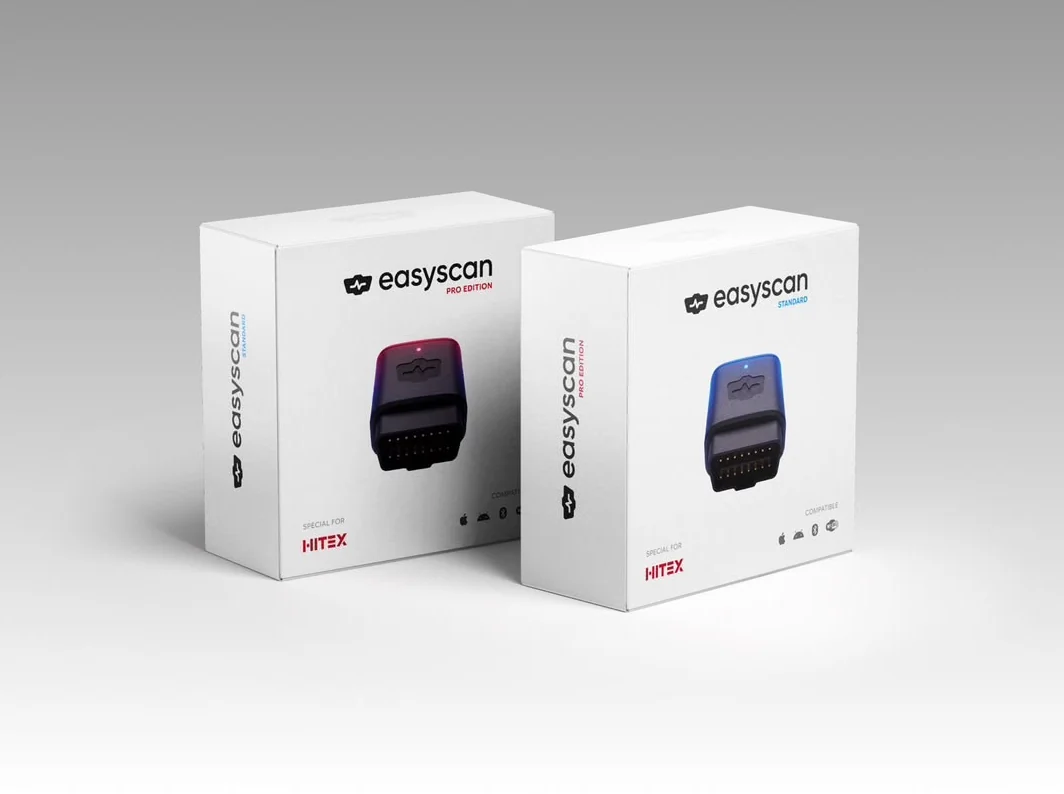
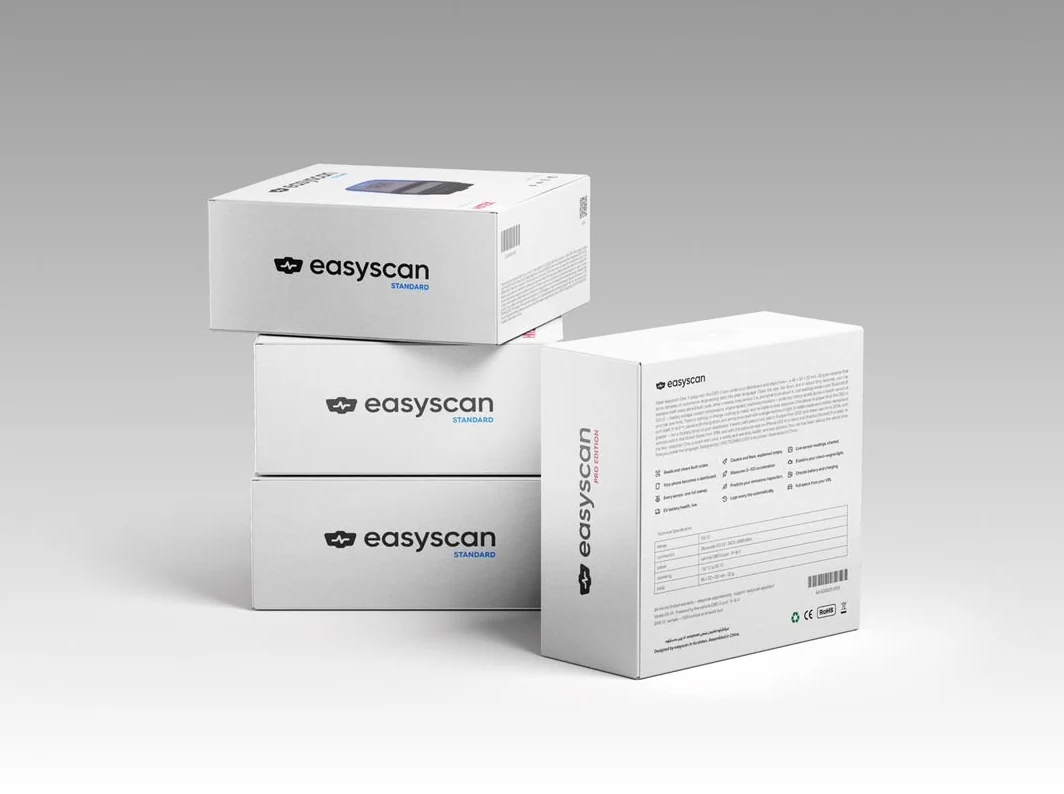
A small easyscan adapter plugs into your car's OBD-II port and talks to the app over Bluetooth. It comes in two editions.
- easyscan StandardBlue status light
- easyscan Pro EditionRed status light
- Fits the OBD-II port in most cars from 1996 onward
- Connects to your phone over Bluetooth
- Works with iPhone and Android
Pre-order the adapter
Be first in line when the next batch ships. Leave your details and our team will contact you to confirm your order and delivery.
- Nothing to pay now
- We'll call or message you to confirm
- Standard or Pro Edition
Works with every major make
These are the makes most common on the roads in Iraq and Kurdistan. If your car has an OBD-II port, easyscan reads it, whatever the badge.
47 makes
 Toyota
 Lexus
 Nissan
 Infiniti
 Honda
 Mazda
 Mitsubishi
 Suzuki
 Subaru
 Isuzu
 Hyundai
 Kia
 Genesis
 KGM SsangYong
 Chevrolet
 GMC
 Cadillac
 Ford
 Lincoln
 Jeep
 Dodge
 Ram
 Chrysler
 Mercedes-Benz
 BMW
 Audi
 Volkswagen
 Porsche
 Land Rover
 Jaguar
 Volvo
 MINI
 Peugeot
 Renault
 Opel
 Škoda
 Citroën
 BYD
 Geely
 Chery
 Changan
 Haval
 Great Wall
 MG
 Jetour
 Hongqi
 BAIC
- And many moreAny car with an OBD-II port
Brand names and logos belong to their owners and are shown only to say which cars easyscan works with. easyscan isn't affiliated with or endorsed by any car maker.
Up and running in three steps
No tools and no mechanic needed. From the box to your first scan in about two minutes.
- 1Step 110 seconds
Plug in the adapter
Find the OBD-II port under the steering wheel and push the adapter in.
- 2Step 230 seconds
Connect over Bluetooth
Turn on the ignition, open easyscan and tap Connect.
- 3Step 3Under a minute
Scan your car
Run a fast scan or a deep scan and read the results on your phone.
Start free. Upgrade when you need more.
Basic diagnostics are free. Pro unlocks the deeper tools mechanics use.
Free
$0
No account fees
- Fast scan of the engine modules
- Read and clear fault codes
- Smart dashboards
- Battery check
Pro
Most completePlans in the app
Monthly or yearly
- Everything in Free
- Deep scan of every control unit
- Live data streaming
- Mode 6 test results
- Unlimited scans and full scan history
Pay inside the app with Nass Wallet on Android or through Apple on iPhone.
What is easyscan?
easyscan is a smart vehicle diagnostic tool that helps you understand your car's health, detect faults, and unlock hidden features using your phone.
How do I connect my car?
Plug the easyscan adapter into your car's OBD-II port, turn on the ignition, and use the Connect button in the app to pair over Bluetooth.
Does it work with all car brands?
Yes, easyscan works with most car brands manufactured after 1996 that support the OBD-II protocol.
What is a deep scan?
A deep scan is a full analysis of all your vehicle's electronic control units (ECUs). It finds hidden faults beyond the standard engine check.
How do I upgrade to Pro?
Open Subscription details in the app menu to upgrade to Pro and unlock all premium features and unlimited scans.
Can I reset fault codes?
Yes. You can read and clear diagnostic trouble codes (DTCs) after you've fixed the underlying problem.
Your car is already talking. Start listening.
Download easyscan and run your first scan today.